Merchant Guide: Everything You Need to Know About Google Pay
Learn how Google Pay works, why adoption is growing, and how merchants can accept it.
.avif)
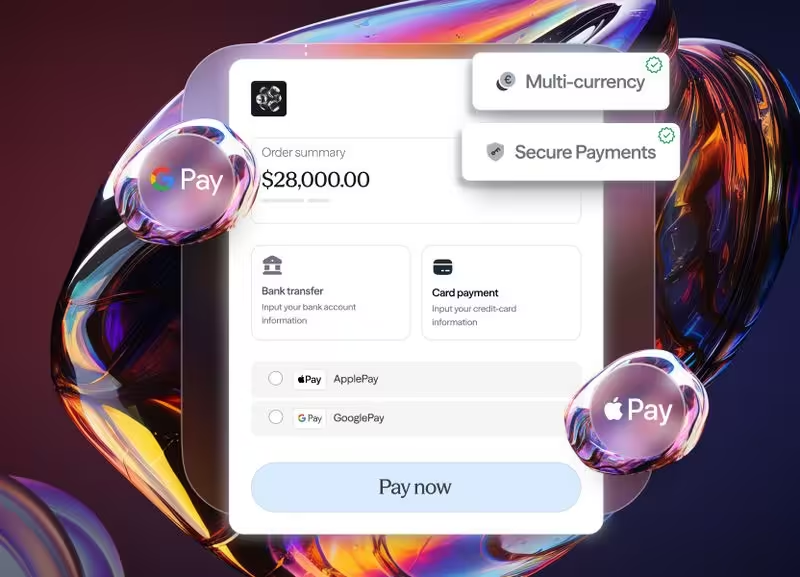
Google Pay is a digital wallet that lets a customer complete checkout in three taps, using a tokenised version of a card stored on their device. For merchants, it is moving from convenience features toward a baseline expectation. In key markets across Europe, the Americas and Asia-Pacific, mobile shoppers now expect to see the Google Pay button at checkout. Those who don't see it may be more likely to leave.
This guide is for merchants who already know Google Pay exists, and want to understand its impact on conversion, fraud prevention and cost and how to add it without re-engineering their stack.
What is Google Pay?
Google Pay is Google's digital wallet for Android devices and the web. A customer adds a card to their Google account once. From that moment on, they can pay at any merchant that supports Google Pay without typing card numbers, billing addresses or CVV codes.
Behind the scenes, Google Pay is designed to share the customer's real card details with the merchant. It generates a device-specific token, processed through the customer's card network (Visa, Mastercard, American Express, Discover and others depending on the market). The merchant receives a payment confirmation. The card number stays on Google's infrastructure.
This follows the EMV Payment Tokenisation Specification maintained by EMVCo, the industry-standard framework that defines how payment tokens replace primary account numbers across the global payment ecosystem.
A short history clarifies what the product actually is:
- 2015: Launched as Android Pay
- 2018: Rebranded and consolidated as Google Pay
- 2022 onward: Progressively unified with Google Wallet across regions
The naming varies by market. The underlying payment rail is the same: tokenised card payments, surfaced through a one-tap interface.

How Google Pay works at checkout
From the customer's perspective, the flow is three steps:
- Tap the Google Pay button at checkout
- Confirm the card to use (default card is preselected)
- Authenticate with fingerprint, face or PIN
From the merchant's perspective, the flow is closer to this:
- The Google Pay API returns a payment token to the merchant's checkout
- The token is forwarded to the merchant's payment provider
- The provider routes the token to the relevant acquirer and card network
- The card network detokenises and processes the transaction
- Authorisation or decline returns to the checkout in real time
The merchant does not typically hold the card number. That has implications for PCI scope, fraud exposure and storage cost, all of which we return to below.
Why fewer fields means fewer drop-offs
Mobile checkout abandonment is a well-documented problem. According to Baymard Institute's ongoing meta-analysis of checkout research, the average global cart abandonment rate sits above 70%, with mobile consistently higher than desktop. A significant share of those abandonments trace back to checkout friction and the average e-commerce checkout asks the customer to complete around 11 form fields before payment goes through.
On mobile, that compression matters more than on desktop. Thumb typing is slow. Autofill is inconsistent. A wallet button removes the typing entirely.
The merchant advantages of adopting Google Pay
Accepting Google Pay offers four primary benefits for merchants evaluating the addition of this digital wallet to their payment infrastructure:
1. Improved Mobile Conversion Rates
Digital wallet buttons may achieve better results than traditional card-entry forms on mobile devices. By reducing the number of fields and the amount of typing required, merchants may see faster confirmations and a noticeable lift in conversions across various industries.
2. Enhanced Security and Lower Fraud Risk
Google Pay utilises biometric authentication and tokenisation, creating a robust fraud signature. Since issuers generally categorise tokenised transactions as lower risk compared to raw card-on-file data, merchants benefit from fewer false declines and a reduced chargeback profile.
3. Efficiency During Peak Traffic
During high-volume events like flash sales or live promotions, the speed of wallet-based payments is critical. Providing a streamlined confirmation process can prevent customers from abandoning their carts during the checkout phase.
The four outcomes that matter most to merchants reviewing whether to add Google Pay to their stack are as follows:
1. Higher mobile conversion
Wallet buttons tend to outperform card-entry forms on mobile. Less typing, fewer fields, faster confirmation. The lift varies by category and traffic source, but it is commonly across industries.
2. Lower fraud and chargeback exposure
Because Google Pay transactions are tokenised and biometrically authenticated, the fraud signature is strong. Issuers tend to view tokenised wallet transactions as lower risk than raw card-on-file transactions. The downstream effect is fewer false declines, fewer chargebacks and a cleaner risk profile with the acquirer.
3. Reduced PCI scope
The merchant does not typically see or store the customer's card number. PAN data is not expected to enter the merchant's environment. PCI DSS scope shrinks accordingly. The PCI Security Standards Council explicitly recognises tokenisation as a method of reducing the systems in scope for PCI DSS compliance, tokens replace the cardholder data that would otherwise need to be protected end to end. For merchants without dedicated security teams, this is significant.
4. Speed at peak
Customers who confirm a payment fast have less time to change their mind. For high-volume operators dealing with traffic spikes, promotional windows, live events, flash sales, the speed of the wallet rail is the difference between a deposit captured and a deposit abandoned.

What it costs merchants not to accept Google Pay
The cost can be significant . It includes the customers who arrive on mobile, see only a card-entry form, and may leave to find a competitor whose checkout takes three taps.
For merchants operating across multiple geographies, the absence is more expensive. A merchant present in Germany without Google Pay may be missing a significant segment of mobile first shoppers who prefer wallet based checkout.
Apple Pay vs Google Pay: the merchant's view
The two wallets are functionally similar from a merchant integration standpoint. Both rely on tokenisation. Both authenticate with biometrics. Both reduce checkout fields to near zero.
The merchant's decision is not "which one." It is "both, in parallel, routed intelligently." The two wallets cover different customer bases on different devices. Accepting one and not the other excludes a measurable share of your traffic.
Accepting Google Pay through finera.
Most merchants do not need a new project to add Google Pay. They need a payment partner where Google Pay is already wired in, and where the wallet token is routed with the same intelligence as a card.
finera.'s payment orchestration platform treats Google Pay as a first-class payment method:
- One integration. Google Pay is enabled through the same finera. API that powers your card processing and alternative payment methods. Typically no separate vendor contract orseparate certification cycle is required.
- Issuer-aware smart routing. A Google Pay token still has to clear the issuer. finera. evaluates issuer, BIN, geography and live acquirer performance on transactions, and aims to select the route most likely to approve.
- Failover built in. If the primary acquirer dips, the transaction cascades to the next route. This helps improve likelihood that the customer sees an approval and the merchant experiences more consistent uptime.
How to add Google Pay to your checkout: the four-step path
For merchants who want a clean implementation path, the sequence below is the one we use with new merchants today.
- Confirm market coverage: Identify which of your active markets have meaningful Google Pay adoption (use the table above as a starting point).
- Map your acquirer landscape: Confirm which of your existing acquirers support Google Pay tokens in each market.
- Enable through orchestration: Activate Google Pay through finera.
- Route intelligently. Configure routing logic so wallet transactions move to the acquirer most likely to approve, market by market.
Google Pay for Merchants: Meeting Changing Customer Expectations
Consumers increasingly expect digital wallets to be available at checkout. For many mobile-first users, Google Pay is increasingly more than a convenience. It is becoming an expectation.
At finera., we help merchants simplify payment complexity through payment orchestration, smart routing, and multi-provider infrastructure that supports digital wallets and alternative payment methods.
Are you looking to accept Google Pay and optimise your payment performance?
Map your mobile checkout coverage with a finera. payments specialist → Speak to a payments specialist
This article on payment methods is for informational and educational purposes only.
- Not Professional Advice: The content provided does not constitute financial, legal, tax, or professional advice. Always consult with a qualified professional before making financial decisions.
- No Liability: The authors, contributors, and the publisher assume no liability for any loss, damage, or consequence whatsoever, whether direct or indirect, resulting from your reliance on or use of the information contained herein.
- Third-Party Risk: The discussion of specific payment services, platforms, or institutions is for illustration only. We do not endorse or guarantee the performance, security, or policies of any third-party service mentioned. Use all third-party services at your own risk.
- No Warranty: We make no warranty regarding the accuracy, completeness, or suitability of the information, which may become outdated over time.

Frequently Asked Questions
In most current markets, yes. Google has progressively unified Google Pay and Google Wallet under the Google Wallet brand for end-users, while the merchant-facing payments product is still referred to as Google Pay. The underlying payment rail is the same.
The Google Pay app exists for iOS but is limited compared with the Android experience. For iPhone customers, Apple Pay is the practical wallet. Merchants should accept both.
Google Pay is a wallet that processes underlying card payments. From an acquirer's perspective, a Google Pay transaction is a tokenised card transaction, typically processed through the customer's card network.
Adoption is strong across the United States, United Kingdom, Germany, Poland, Brazil, Japan, Canada and Australia, with growing share in France, Italy, Spain and Mexico.
Yes. Through finera.'s platform, Google Pay sits alongside cards, regional APMs, and open banking, under one integration.

Still Have Questions?
Let’s Find the Right Solution for You
Stay Connected with Us!
Follow us on social media to stay up to date with the latest news, updates, and exclusive insights!